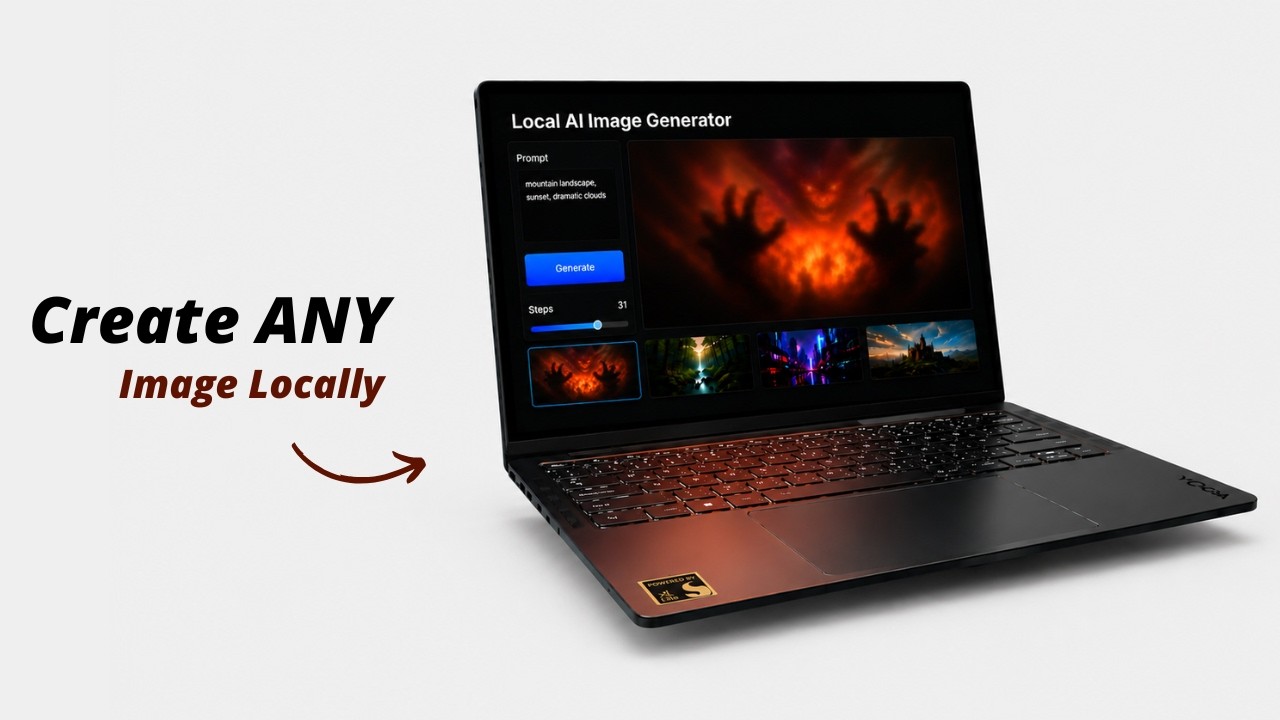
# 🖼️ Local AI Image Generator
### An easy, zero-setup Stable Diffusion GUI for Windows, Linux, and macOS. Run GGUF & Safetensors models offline without Python configuration.
| **Generation Workspace** | **Model Library** | **Image Constraints** |
| :---: | :---: | :---: |
| 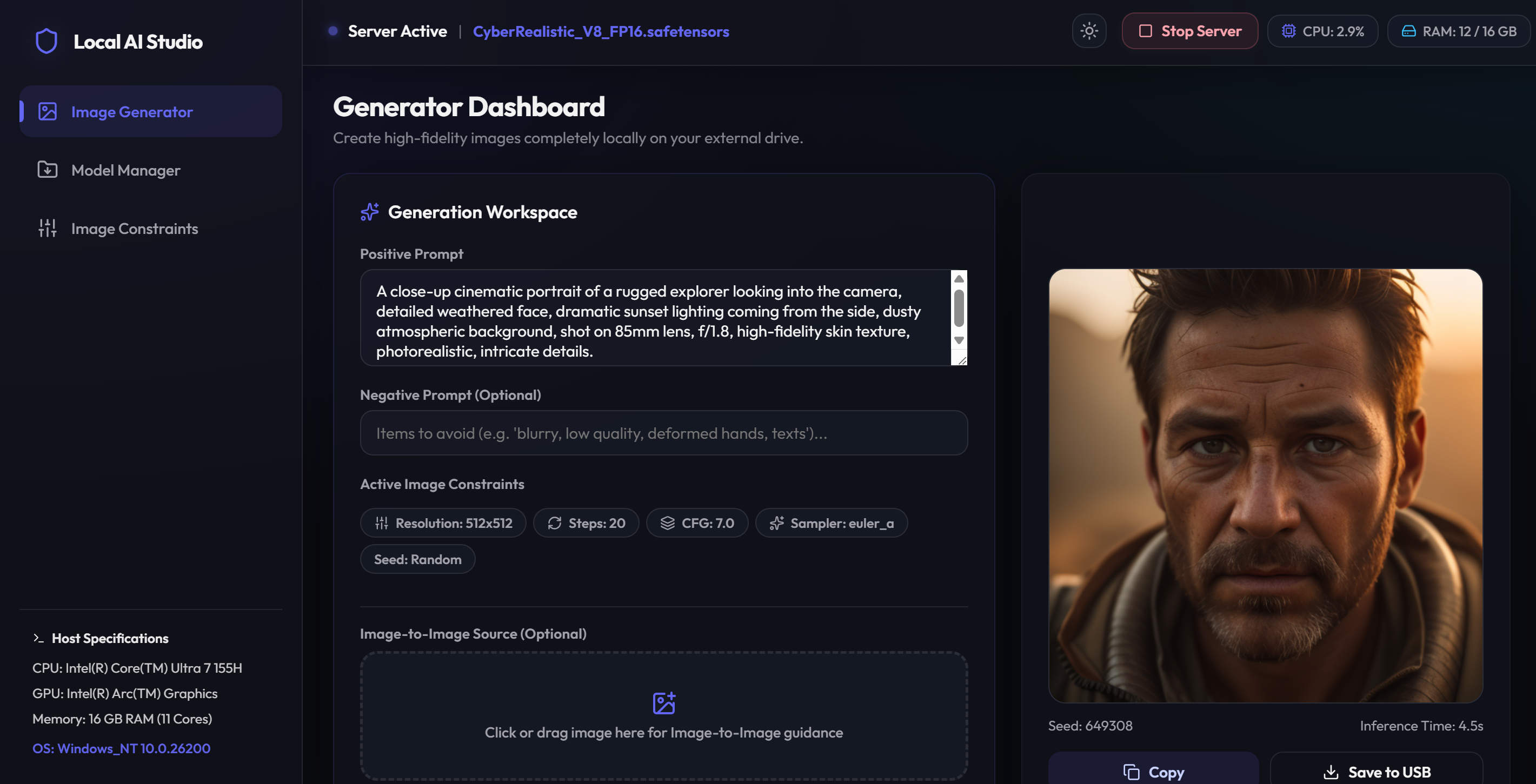 |
| 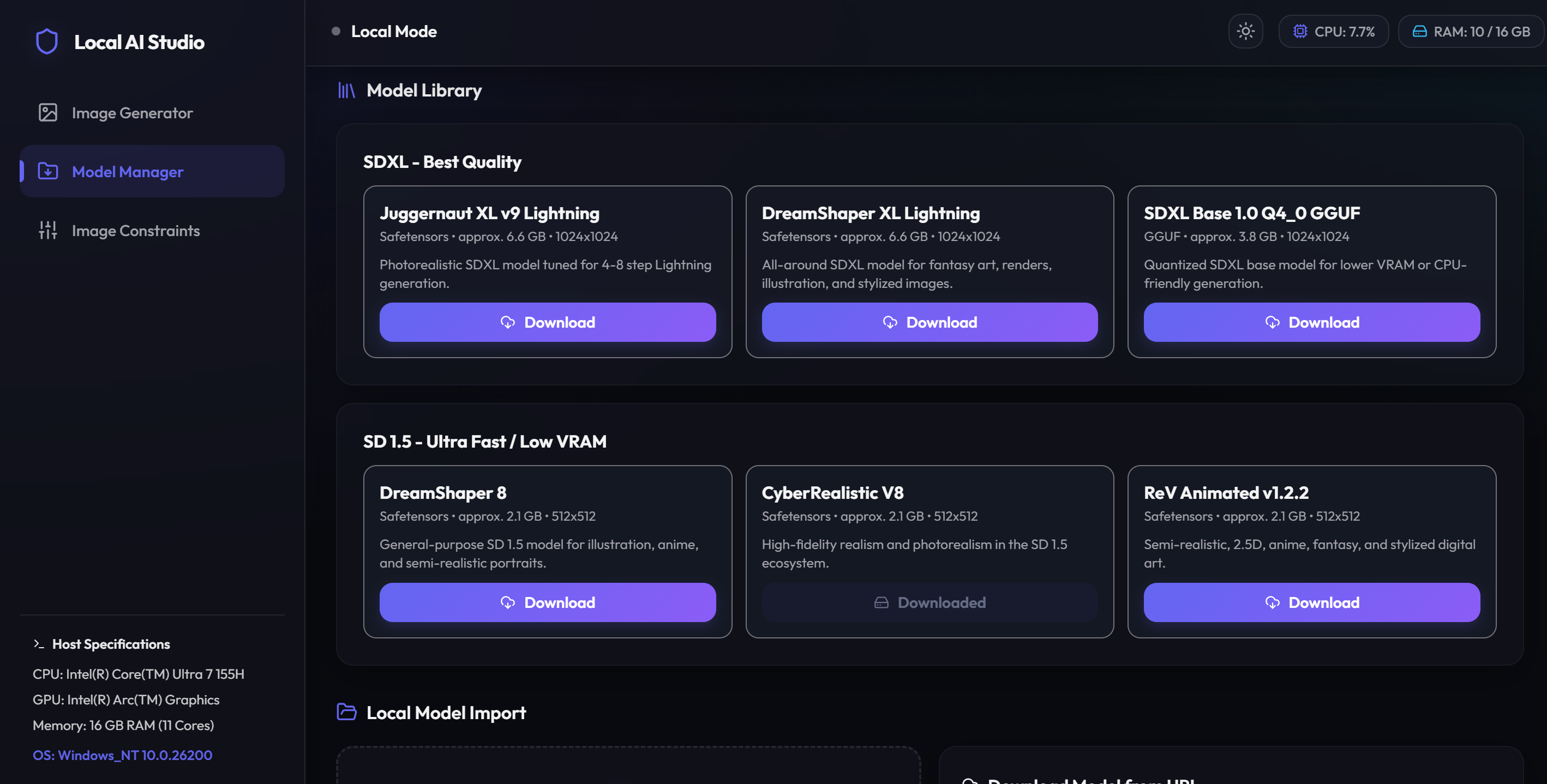 |
| 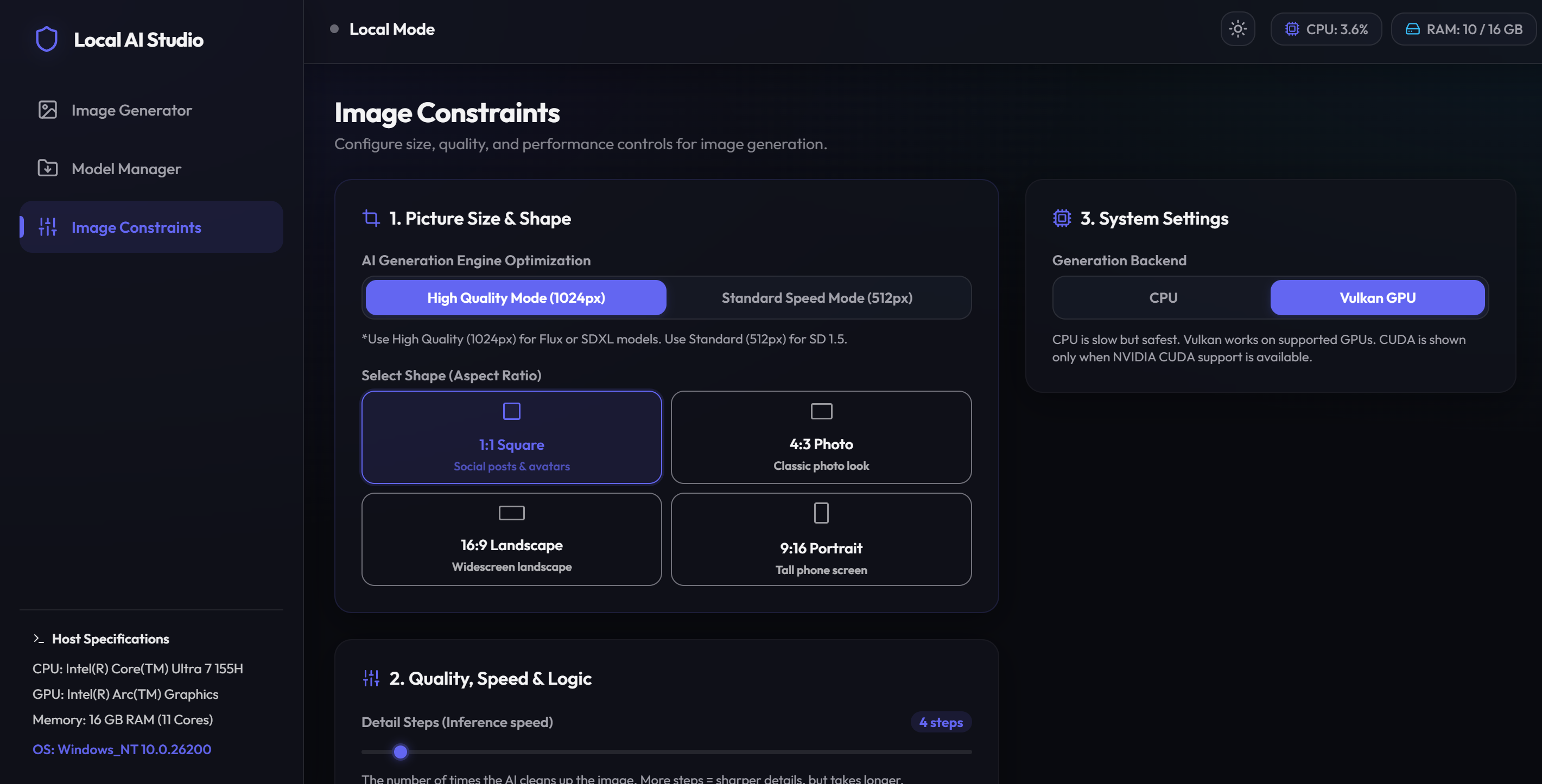 |
---
---
## 📖 Overview
**Local AI Image Generator** is a zero-configuration, portable desktop environment for running Stable Diffusion (Safetensors/GGUF/CKPT) offline on Windows, Linux, and macOS. Double-clicking `start.bat` (Windows) or running `./start.sh` (Linux/macOS) automatically handles dependency setup, GPU backend matching, and launches a high-performance local web workspace.
---
## ⚡ Quick Start
### Windows
1. **Launch:** Double-click **`start.bat`** (downloads portable Node.js and pre-compiled GPU backend binaries on first run).
2. **Add Models:** Drop `.safetensors`, `.gguf`, or `.ckpt` weights into `app/models/` (or download them via the **Model Manager** tab in the UI).
3. **Generate:** Open `http://localhost:1420` in your browser, select your model, and write a prompt.
### Linux
1. **Check compatibility:** Prebuilt Linux backends are built on Ubuntu 24.04 and require **glibc 2.38+**. Run `ldd --version` to verify.
2. **Launch:** Open a terminal in the project folder and run **`./start.sh`** (downloads portable Node.js and pre-compiled GPU backend binaries on first run).
- For maximum AMD GPU performance, use **`./start.sh --max-perf`** on first setup (adds the ROCm backend).
3. **Add Models:** Drop `.safetensors`, `.gguf`, or `.ckpt` weights into `app/models/` (or download them via the **Model Manager** tab in the UI).
4. **Generate:** Open `http://localhost:1420` in your browser, select your model, and write a prompt.
### macOS
1. **Check compatibility:** The prebuilt macOS backend is for **Apple Silicon (M1 or newer)** and uses **Metal** GPU acceleration.
2. **Launch:** Open Terminal in the project folder and run **`./start.sh`** (downloads portable Node.js and the pre-compiled Metal backend on first run).
3. **Add Models:** Drop `.safetensors`, `.gguf`, or `.ckpt` weights into `app/models/` (or download them via the **Model Manager** tab in the UI).
4. **Generate:** Open `http://localhost:1420` in your browser, select your model, and write a prompt.
---
## ✨ Features
* **100% Offline & Private:** Inference runs completely locally on your hardware.
* **Auto-Detected GPU Acceleration:** Configures **CUDA** for Nvidia cards, **ROCm** for AMD cards, **Vulkan** for AMD/Intel/NVIDIA fallback, and **Metal** for Apple Silicon Macs.
* **Zero System Footprint:** Node.js is sandboxed inside the folder. No global environment paths are altered.
* **Integrated Model Manager:** Paste a Hugging Face URL to download weights directly, or drag-and-drop local weight files to import them.
* **Real-time Telemetry:** Monitor RAM, VRAM, CPU, and GPU load directly in the UI.
* **Local Gallery:** Saves generated PNGs alongside prompt metadata JSONs to `app/outputs/`.
---
## 📁 Repository Structure
```
local-ai-image-generator/
├── start.bat # Main double-click entrypoint (Windows)
├── start.sh # Main terminal entrypoint (Linux/macOS)
├── PLAN.md # Linux port implementation plan
├── LICENSE # MIT Open Source license
├── .gitignore
├── README.md
├── scripts/
│ ├── setup.ps1 # Automated GPU-detect and environment installer (Windows)
│ ├── setup.sh # Automated GPU-detect and environment installer (Linux/macOS)
│ ├── reset.ps1 # Cleans runtime environments (Windows)
│ ├── reset.sh # Cleans runtime environments (Linux/macOS)
│ └── serve.cjs # UI web server and backend lifecycle manager
└── app/
├── frontend/ # UI source code (Vite + React)
├── models/ # Place weights here (.safetensors, .gguf, .ckpt)
└── outputs/ # Saved images and parameters metadata
```
---
## 🖥️ GPU Compatibility Matrix
### Windows
| GPU Vendor | Tech | Status | Notes |
| :--- | :--- | :--- | :--- |
| **Nvidia** | CUDA | ✅ Native | Maps `sd-cuda.exe` with Nvidia SDK 12 optimizations. |
| **AMD Radeon** | Vulkan | ✅ Native | Maps `sd-vulkan.exe` with Vulkan API acceleration. |
| **Intel Arc** | Vulkan | ✅ Native | Maps `sd-vulkan.exe` for Intel hardware. |
| **Integrated / None** | CPU | ⚠️ Fallback | Runs on logical CPU threads (slow). |
### Linux
| GPU Vendor | Primary | Fallback | Notes |
| :--- | :--- | :--- | :--- |
| **NVIDIA** | Vulkan | CPU | No reliable prebuilt Linux CUDA binary is currently available. NVIDIA GPUs use Vulkan. |
| **AMD Radeon** | ROCm | Vulkan | ROCm provides best AMD performance when host ROCm drivers are available. |
| **Intel Arc / integrated** | Vulkan | CPU | Cross-vendor Vulkan support. |
| **Integrated / None** | CPU | — | Runs on logical CPU threads (slow). |
### macOS
| Hardware | Primary | Fallback | Notes |
| :--- | :--- | :--- | :--- |
| **Apple Silicon (M1 or newer)** | Metal | CPU | Uses the official Darwin arm64 stable-diffusion.cpp backend. |
| **Intel Mac** | Source build required | CPU | Official prebuilt macOS backend is Apple Silicon only. |
**System requirements:**
- **glibc 2.38 or newer** is required for the prebuilt Linux backends (Ubuntu 24.04, Fedora 40+, etc.).
- The setup script will warn you if your glibc is older. You can still run setup, but the prebuilt backends will not start.
- **Apple Silicon (M1 or newer)** is required for the prebuilt macOS Metal backend.
**Linux setup modes:**
- **Default (`./start.sh`)**: Downloads CPU + Vulkan backends (~120–150 MB).
- **Maximum Performance (`./start.sh --max-perf`)**: Also downloads the ROCm backend. Total download ~1.3 GB.
---
## ⏱️ Performance Benchmarks
Typical generation times for an image with **20 steps** (e.g. 512x512 resolution; actual times can vary depending on specific hardware specifications, clock speeds, and system load):
* **CUDA GPU (Nvidia RTX):** ~10 seconds.
* **ROCm GPU (AMD RDNA2/RDNA3):** ~15–30 seconds.
* **Vulkan GPU (AMD / Intel Arc):** ~89 seconds.
* **GTX Vulkan Fallback (Nvidia GTX):** ~30 seconds (Vulkan runs significantly faster on legacy GTX series cards since they lack Tensor Cores).
* **CPU (Fallback):** ~150 - 300+ seconds (highly dependent on processor core count, speed, and AVX instruction sets).
---
## 🛠️ Troubleshooting
* **Reset Environment:** If a build fails or you want to clear dependencies, run `scripts/reset.ps1` (Windows) or `scripts/reset.sh` (Linux/macOS). (This preserves your models and generated images).
* **Port Conflicts:** The frontend uses `1420` by default. The backend tries `8080` first, then automatically falls back to a free port if `8080` is already busy.
* **Linux backends fail to start with `GLIBC_2.38' not found`:** The prebuilt binaries require glibc 2.38+ (Ubuntu 24.04). Upgrade your distribution or build stable-diffusion.cpp from source (see below).
* **Linux ROCm not loading:** Make sure your AMD GPU and kernel are compatible with ROCm 7.13. The app will automatically fall back to Vulkan if ROCm cannot initialize.
* **Windows exits with code `3221225781`:** This is `0xC0000135`, which means Windows could not load a required backend DLL. For AMD/Intel Vulkan, update the GPU driver with Vulkan support, then rerun setup so `app/backend/win/vulkan/` is repaired. For NVIDIA CUDA, update the NVIDIA driver and rerun setup so CUDA runtime DLLs are restored.
* **Generation shows "server is not responding or crashed":** The backend process exited. Check the terminal where you ran `./start.sh` for the exact error (common causes are glibc mismatch, missing Vulkan drivers, or out-of-memory).
---
## 🔨 Building Linux Backends From Source
If your distribution has an older glibc than 2.38, or you want a CUDA backend on Linux, you can build `stable-diffusion.cpp` directly on your machine. The resulting binary will be linked against your system's glibc and will not have the compatibility issues of the prebuilt releases.
For macOS, the included `scripts/build_from_source.sh` builds the Metal backend and copies it to `app/backend/mac/sd`.
### Requirements
- `git`, `cmake`, `make` (or `ninja`), and a C++17 compiler (`g++` / `clang++`).
- For **CUDA**: the NVIDIA CUDA toolkit (`nvcc`) must be on your `PATH`.
- For **Vulkan**: the Vulkan SDK / loader and a compatible driver.
- For **ROCm**: AMD ROCm development libraries.
- For **macOS Metal**: Apple Command Line Tools or Xcode.
### Build commands
```bash
# 1. Clone upstream
git clone https://github.com/leejet/stable-diffusion.cpp.git
cd stable-diffusion.cpp
mkdir build && cd build
# 2. Configure for your backend (pick ONE)
# CPU only
cmake .. -DSD_BUILD_SHARED_LIBS=ON -DCMAKE_BUILD_TYPE=Release
# CUDA
cmake .. -DSD_CUDA=ON -DSD_BUILD_SHARED_LIBS=ON -DCMAKE_BUILD_TYPE=Release
# Vulkan
cmake .. -DSD_VULKAN=ON -DSD_BUILD_SHARED_LIBS=ON -DCMAKE_BUILD_TYPE=Release
# ROCm
cmake .. -DSD_HIPBLAS=ON -DSD_BUILD_SHARED_LIBS=ON -DCMAKE_BUILD_TYPE=Release
# macOS Metal
cmake .. -DSD_METAL=ON -DSD_BUILD_SHARED_LIBS=ON -DCMAKE_BUILD_TYPE=Release
# 3. Build
cmake --build . --config Release -j$(getconf _NPROCESSORS_ONLN 2>/dev/null || sysctl -n hw.ncpu)
# 4. Copy the binaries into this project
cp bin/sd* /path/to/Local-AI-Image-Generator/app/backend/linux//
```
After copying, rename the server binary to match what `scripts/serve.cjs` expects:
- CPU: `sd` → `sd-cpu`
- Vulkan: `sd` → `sd-vulkan`
- ROCm: `sd` → `sd-rocm`
Then restart the app with `./start.sh`.
---
## 📝 License
This project is licensed under the MIT License - see the [LICENSE](LICENSE) file. Bundles [stable-diffusion.cpp](https://github.com/leejet/stable-diffusion.cpp) (MIT License). Model weights are subject to their respective creators' licenses.
|
---
---
## 📖 Overview
**Local AI Image Generator** is a zero-configuration, portable desktop environment for running Stable Diffusion (Safetensors/GGUF/CKPT) offline on Windows, Linux, and macOS. Double-clicking `start.bat` (Windows) or running `./start.sh` (Linux/macOS) automatically handles dependency setup, GPU backend matching, and launches a high-performance local web workspace.
---
## ⚡ Quick Start
### Windows
1. **Launch:** Double-click **`start.bat`** (downloads portable Node.js and pre-compiled GPU backend binaries on first run).
2. **Add Models:** Drop `.safetensors`, `.gguf`, or `.ckpt` weights into `app/models/` (or download them via the **Model Manager** tab in the UI).
3. **Generate:** Open `http://localhost:1420` in your browser, select your model, and write a prompt.
### Linux
1. **Check compatibility:** Prebuilt Linux backends are built on Ubuntu 24.04 and require **glibc 2.38+**. Run `ldd --version` to verify.
2. **Launch:** Open a terminal in the project folder and run **`./start.sh`** (downloads portable Node.js and pre-compiled GPU backend binaries on first run).
- For maximum AMD GPU performance, use **`./start.sh --max-perf`** on first setup (adds the ROCm backend).
3. **Add Models:** Drop `.safetensors`, `.gguf`, or `.ckpt` weights into `app/models/` (or download them via the **Model Manager** tab in the UI).
4. **Generate:** Open `http://localhost:1420` in your browser, select your model, and write a prompt.
### macOS
1. **Check compatibility:** The prebuilt macOS backend is for **Apple Silicon (M1 or newer)** and uses **Metal** GPU acceleration.
2. **Launch:** Open Terminal in the project folder and run **`./start.sh`** (downloads portable Node.js and the pre-compiled Metal backend on first run).
3. **Add Models:** Drop `.safetensors`, `.gguf`, or `.ckpt` weights into `app/models/` (or download them via the **Model Manager** tab in the UI).
4. **Generate:** Open `http://localhost:1420` in your browser, select your model, and write a prompt.
---
## ✨ Features
* **100% Offline & Private:** Inference runs completely locally on your hardware.
* **Auto-Detected GPU Acceleration:** Configures **CUDA** for Nvidia cards, **ROCm** for AMD cards, **Vulkan** for AMD/Intel/NVIDIA fallback, and **Metal** for Apple Silicon Macs.
* **Zero System Footprint:** Node.js is sandboxed inside the folder. No global environment paths are altered.
* **Integrated Model Manager:** Paste a Hugging Face URL to download weights directly, or drag-and-drop local weight files to import them.
* **Real-time Telemetry:** Monitor RAM, VRAM, CPU, and GPU load directly in the UI.
* **Local Gallery:** Saves generated PNGs alongside prompt metadata JSONs to `app/outputs/`.
---
## 📁 Repository Structure
```
local-ai-image-generator/
├── start.bat # Main double-click entrypoint (Windows)
├── start.sh # Main terminal entrypoint (Linux/macOS)
├── PLAN.md # Linux port implementation plan
├── LICENSE # MIT Open Source license
├── .gitignore
├── README.md
├── scripts/
│ ├── setup.ps1 # Automated GPU-detect and environment installer (Windows)
│ ├── setup.sh # Automated GPU-detect and environment installer (Linux/macOS)
│ ├── reset.ps1 # Cleans runtime environments (Windows)
│ ├── reset.sh # Cleans runtime environments (Linux/macOS)
│ └── serve.cjs # UI web server and backend lifecycle manager
└── app/
├── frontend/ # UI source code (Vite + React)
├── models/ # Place weights here (.safetensors, .gguf, .ckpt)
└── outputs/ # Saved images and parameters metadata
```
---
## 🖥️ GPU Compatibility Matrix
### Windows
| GPU Vendor | Tech | Status | Notes |
| :--- | :--- | :--- | :--- |
| **Nvidia** | CUDA | ✅ Native | Maps `sd-cuda.exe` with Nvidia SDK 12 optimizations. |
| **AMD Radeon** | Vulkan | ✅ Native | Maps `sd-vulkan.exe` with Vulkan API acceleration. |
| **Intel Arc** | Vulkan | ✅ Native | Maps `sd-vulkan.exe` for Intel hardware. |
| **Integrated / None** | CPU | ⚠️ Fallback | Runs on logical CPU threads (slow). |
### Linux
| GPU Vendor | Primary | Fallback | Notes |
| :--- | :--- | :--- | :--- |
| **NVIDIA** | Vulkan | CPU | No reliable prebuilt Linux CUDA binary is currently available. NVIDIA GPUs use Vulkan. |
| **AMD Radeon** | ROCm | Vulkan | ROCm provides best AMD performance when host ROCm drivers are available. |
| **Intel Arc / integrated** | Vulkan | CPU | Cross-vendor Vulkan support. |
| **Integrated / None** | CPU | — | Runs on logical CPU threads (slow). |
### macOS
| Hardware | Primary | Fallback | Notes |
| :--- | :--- | :--- | :--- |
| **Apple Silicon (M1 or newer)** | Metal | CPU | Uses the official Darwin arm64 stable-diffusion.cpp backend. |
| **Intel Mac** | Source build required | CPU | Official prebuilt macOS backend is Apple Silicon only. |
**System requirements:**
- **glibc 2.38 or newer** is required for the prebuilt Linux backends (Ubuntu 24.04, Fedora 40+, etc.).
- The setup script will warn you if your glibc is older. You can still run setup, but the prebuilt backends will not start.
- **Apple Silicon (M1 or newer)** is required for the prebuilt macOS Metal backend.
**Linux setup modes:**
- **Default (`./start.sh`)**: Downloads CPU + Vulkan backends (~120–150 MB).
- **Maximum Performance (`./start.sh --max-perf`)**: Also downloads the ROCm backend. Total download ~1.3 GB.
---
## ⏱️ Performance Benchmarks
Typical generation times for an image with **20 steps** (e.g. 512x512 resolution; actual times can vary depending on specific hardware specifications, clock speeds, and system load):
* **CUDA GPU (Nvidia RTX):** ~10 seconds.
* **ROCm GPU (AMD RDNA2/RDNA3):** ~15–30 seconds.
* **Vulkan GPU (AMD / Intel Arc):** ~89 seconds.
* **GTX Vulkan Fallback (Nvidia GTX):** ~30 seconds (Vulkan runs significantly faster on legacy GTX series cards since they lack Tensor Cores).
* **CPU (Fallback):** ~150 - 300+ seconds (highly dependent on processor core count, speed, and AVX instruction sets).
---
## 🛠️ Troubleshooting
* **Reset Environment:** If a build fails or you want to clear dependencies, run `scripts/reset.ps1` (Windows) or `scripts/reset.sh` (Linux/macOS). (This preserves your models and generated images).
* **Port Conflicts:** The frontend uses `1420` by default. The backend tries `8080` first, then automatically falls back to a free port if `8080` is already busy.
* **Linux backends fail to start with `GLIBC_2.38' not found`:** The prebuilt binaries require glibc 2.38+ (Ubuntu 24.04). Upgrade your distribution or build stable-diffusion.cpp from source (see below).
* **Linux ROCm not loading:** Make sure your AMD GPU and kernel are compatible with ROCm 7.13. The app will automatically fall back to Vulkan if ROCm cannot initialize.
* **Windows exits with code `3221225781`:** This is `0xC0000135`, which means Windows could not load a required backend DLL. For AMD/Intel Vulkan, update the GPU driver with Vulkan support, then rerun setup so `app/backend/win/vulkan/` is repaired. For NVIDIA CUDA, update the NVIDIA driver and rerun setup so CUDA runtime DLLs are restored.
* **Generation shows "server is not responding or crashed":** The backend process exited. Check the terminal where you ran `./start.sh` for the exact error (common causes are glibc mismatch, missing Vulkan drivers, or out-of-memory).
---
## 🔨 Building Linux Backends From Source
If your distribution has an older glibc than 2.38, or you want a CUDA backend on Linux, you can build `stable-diffusion.cpp` directly on your machine. The resulting binary will be linked against your system's glibc and will not have the compatibility issues of the prebuilt releases.
For macOS, the included `scripts/build_from_source.sh` builds the Metal backend and copies it to `app/backend/mac/sd`.
### Requirements
- `git`, `cmake`, `make` (or `ninja`), and a C++17 compiler (`g++` / `clang++`).
- For **CUDA**: the NVIDIA CUDA toolkit (`nvcc`) must be on your `PATH`.
- For **Vulkan**: the Vulkan SDK / loader and a compatible driver.
- For **ROCm**: AMD ROCm development libraries.
- For **macOS Metal**: Apple Command Line Tools or Xcode.
### Build commands
```bash
# 1. Clone upstream
git clone https://github.com/leejet/stable-diffusion.cpp.git
cd stable-diffusion.cpp
mkdir build && cd build
# 2. Configure for your backend (pick ONE)
# CPU only
cmake .. -DSD_BUILD_SHARED_LIBS=ON -DCMAKE_BUILD_TYPE=Release
# CUDA
cmake .. -DSD_CUDA=ON -DSD_BUILD_SHARED_LIBS=ON -DCMAKE_BUILD_TYPE=Release
# Vulkan
cmake .. -DSD_VULKAN=ON -DSD_BUILD_SHARED_LIBS=ON -DCMAKE_BUILD_TYPE=Release
# ROCm
cmake .. -DSD_HIPBLAS=ON -DSD_BUILD_SHARED_LIBS=ON -DCMAKE_BUILD_TYPE=Release
# macOS Metal
cmake .. -DSD_METAL=ON -DSD_BUILD_SHARED_LIBS=ON -DCMAKE_BUILD_TYPE=Release
# 3. Build
cmake --build . --config Release -j$(getconf _NPROCESSORS_ONLN 2>/dev/null || sysctl -n hw.ncpu)
# 4. Copy the binaries into this project
cp bin/sd* /path/to/Local-AI-Image-Generator/app/backend/linux//
```
After copying, rename the server binary to match what `scripts/serve.cjs` expects:
- CPU: `sd` → `sd-cpu`
- Vulkan: `sd` → `sd-vulkan`
- ROCm: `sd` → `sd-rocm`
Then restart the app with `./start.sh`.
---
## 📝 License
This project is licensed under the MIT License - see the [LICENSE](LICENSE) file. Bundles [stable-diffusion.cpp](https://github.com/leejet/stable-diffusion.cpp) (MIT License). Model weights are subject to their respective creators' licenses.